
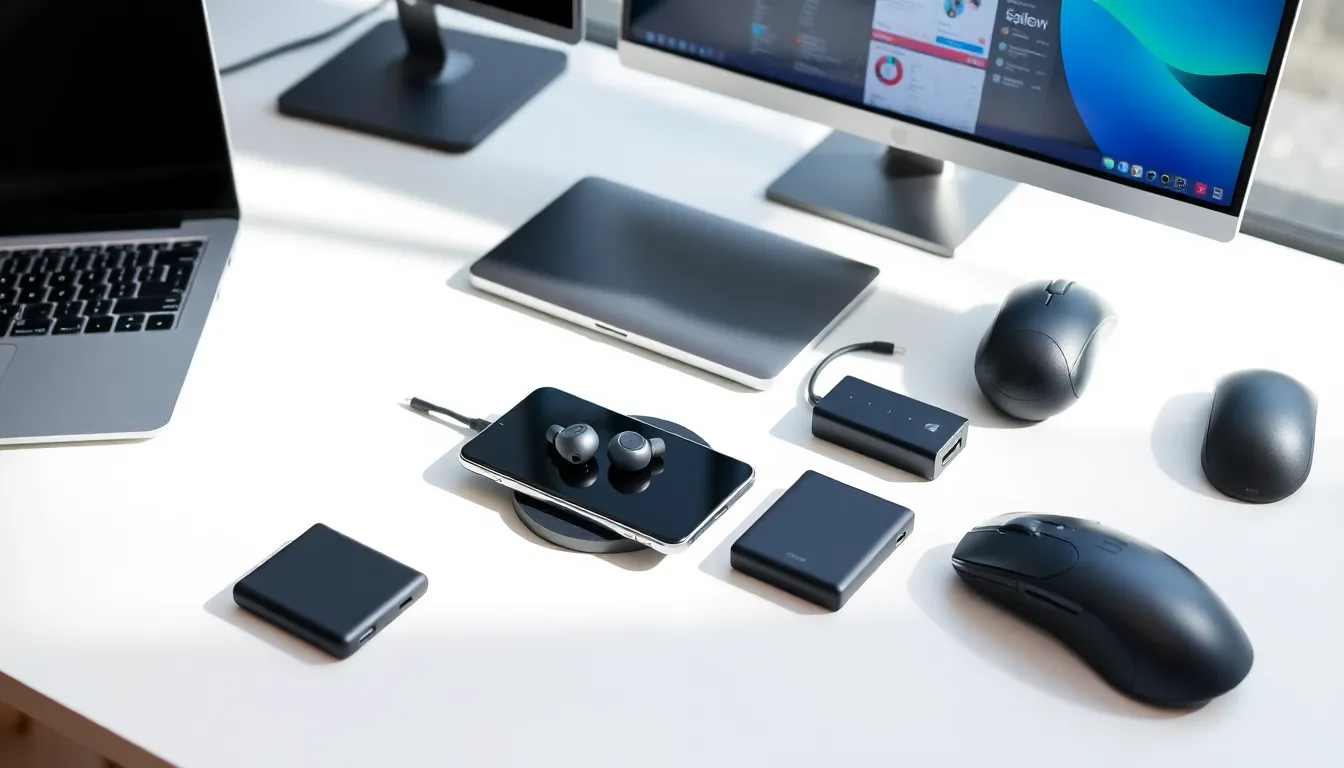
A solid tech accessories guide can save buyers from wasted money and frustration. The right accessories transform everyday devices into powerful, efficient tools. The wrong ones collect dust in a drawer.
In 2025, consumers have more options than ever. Wireless chargers, ergonomic keyboards, noise-canceling earbuds, the list grows each year. This guide breaks down the essential tech accessories across key categories. Readers will learn which gear delivers real value and which features matter most for their needs.
Table of Contents
ToggleKey Takeaways
- A comprehensive tech accessories guide helps you avoid wasted money by matching gear to your actual usage and needs.
- Protective cases with MIL-STD-810G certification and 10,000mAh power banks are essential smartphone accessories for protection and extended battery life.
- Adding a second external monitor can boost productivity by 20% to 30%, making it one of the most impactful laptop tech accessories.
- Ergonomic keyboards and vertical mice reduce wrist strain during extended computer use and improve long-term comfort.
- GaN multi-port chargers and wireless charging stations simplify power management by reducing cable clutter and adapter needs.
- Always verify compatibility, read detailed user reviews, and prioritize USB-C connectivity to future-proof your tech accessories purchases.
Smartphone Accessories Worth the Investment
Smartphones handle communication, entertainment, work, and everything in between. The right tech accessories extend their usefulness and protect them from damage.
Protective Cases and Screen Protectors
A quality phone case costs between $15 and $50. It can prevent hundreds of dollars in repair costs. Look for cases with raised edges around the camera and screen. Drop-test ratings matter, MIL-STD-810G certification indicates military-grade protection.
Tempered glass screen protectors offer better scratch resistance than plastic films. They typically cost $10 to $20 and take minutes to install. Some newer options include privacy filters that block side-angle viewing.
Portable Power Banks
A dead phone battery causes real problems. Power banks with 10,000mAh capacity can charge most smartphones two to three times. Compact models fit easily in a bag or pocket.
Fast-charging support matters here. A power bank with 20W output can restore 50% battery in roughly 30 minutes for compatible devices. This tech accessory has become essential for travelers and busy professionals alike.
Mounts and Holders
Car mounts keep phones accessible for GPS navigation. Magnetic mounts offer quick attachment but require a metal plate or compatible case. Vent-clip and dashboard models each have trade-offs in visibility and stability. Desk stands work well for video calls and hands-free viewing at home.
Must-Have Laptop and Computer Add-Ons
Laptops and desktops benefit significantly from the right tech accessories. These additions improve comfort, productivity, and functionality.
External Monitors
A second screen increases productivity by 20% to 30% according to multiple workplace studies. Monitors in the 24 to 27-inch range offer a good balance of screen space and desk footprint. USB-C connectivity simplifies cable management for modern laptops.
4K resolution looks sharp but demands more from the graphics processor. For general office work and web browsing, 1080p or 1440p displays work fine and cost less.
Ergonomic Keyboards and Mice
Standard laptop keyboards cause wrist strain during extended use. External mechanical or membrane keyboards provide better key travel and comfort. Split keyboards reduce shoulder tension by allowing natural arm positioning.
Ergonomic mice come in vertical, trackball, and traditional designs. Vertical mice keep the wrist in a neutral position. They feel strange at first but reduce strain over time.
USB Hubs and Docking Stations
Thin laptops often sacrifice ports for sleek design. USB-C hubs restore connectivity options, adding HDMI, USB-A, SD card readers, and ethernet ports. A good hub costs $30 to $80 and connects through a single cable.
Docking stations take this further with multiple monitor support and power delivery. They work best for users who switch between mobile and desk setups frequently.
Audio Accessories for Every Lifestyle
Sound quality affects work calls, music enjoyment, and gaming experiences. Audio tech accessories range from budget-friendly to premium, with options for every use case.
Wireless Earbuds
True wireless earbuds have improved dramatically since their introduction. Battery life now reaches 6 to 8 hours per charge, with cases providing additional cycles. Active noise cancellation (ANC) blocks background sounds during commutes or in noisy offices.
Fit matters as much as sound quality. Some brands offer multiple ear tip sizes. Others use wing tips for secure placement during exercise. Water resistance ratings (IPX4 or higher) protect against sweat and light rain.
Over-Ear Headphones
Over-ear headphones deliver better sound quality than most earbuds. Larger drivers produce deeper bass and wider soundstages. Noise cancellation in premium models rivals or exceeds earbuds.
Weight becomes a factor during long listening sessions. Headphones above 300 grams may cause discomfort after an hour or two. Padding quality on the ear cups and headband also affects comfort.
Microphones and Webcams
Built-in laptop microphones pick up background noise and echo. USB microphones improve audio clarity for video calls, podcasts, and streaming. Condenser mics capture more detail while dynamic mics reject ambient sound better.
External webcams offer higher resolution and better low-light performance than most built-in cameras. 1080p webcams start around $50. 4K models with autofocus run $100 to $200.
Charging Solutions and Power Management
Power management tech accessories keep devices running and reduce cable clutter. Charging technology has evolved quickly in recent years.
Wireless Chargers
Wireless charging pads eliminate plug-in hassles. Qi-compatible chargers work with most modern smartphones. Charging speeds vary from 5W to 15W depending on the device and charger combination.
Multi-device charging stations can power a phone, earbuds case, and smartwatch simultaneously. These work well on nightstands and desks. MagSafe-compatible chargers align perfectly with newer iPhones.
Multi-Port Chargers
GaN (gallium nitride) chargers pack more power into smaller sizes. A single 100W charger can power a laptop, tablet, and phone from one outlet. This tech accessory reduces the number of adapters needed for travel.
Look for chargers with smart power distribution. These automatically allocate wattage based on connected device needs. USB-C Power Delivery (PD) ensures fast charging for compatible devices.
Surge Protectors and Smart Power Strips
Surge protectors guard electronics against voltage spikes. Quality models offer joule ratings above 1,000 and include indicator lights showing protection status.
Smart power strips add remote control and scheduling through smartphone apps. Some include USB ports alongside standard outlets. Individual outlet control helps reduce standby power consumption.
How to Choose the Right Tech Accessories
Buying tech accessories requires some research to avoid regrets. These principles help narrow down the options.
Match Accessories to Actual Usage
A $300 headphone setup makes sense for audiophiles and professionals. It wastes money for casual podcast listeners. Buyers should honestly assess their needs before shopping.
Consider how and where the tech accessory will be used. A rugged power bank suits outdoor enthusiasts. A slim, lightweight option works better for office workers.
Check Compatibility First
Not every accessory works with every device. Verify charging protocols, port types, and operating system requirements before purchasing. Reading product specifications takes less time than processing returns.
Some tech accessories require specific apps or software. Check reviews to confirm these apps work well and receive regular updates.
Read User Reviews Carefully
Star ratings tell part of the story. Detailed reviews reveal real-world performance issues that product descriptions omit. Pay attention to comments about durability, customer service, and long-term reliability.
Look for reviews from users with similar devices and use cases. Their experiences predict outcomes better than general feedback.
Consider Future Needs
Tech accessories should work with upcoming devices too. USB-C connectivity has become standard across most product categories. Accessories using older standards may become obsolete quickly.
Modular or upgradeable options provide flexibility. Some headphones allow cable replacement. Certain docking stations accept firmware updates for new features.